
What image optimization does
Images are usually the heaviest part of a page. With image optimization on, every JPEG and PNG on your WordPress site gets a WebP copy, usually 25 to 70 percent smaller, and the pages your visitors see use it automatically. Pages load faster, especially on phones.
- Included on every plan, for WordPress websites. No plugin to install or configure.
- Your original images are never changed or removed.
- WebP works in every current browser.
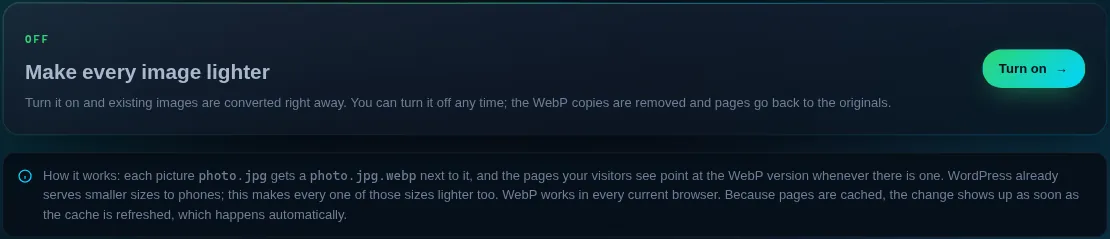
Turn it on
- Open the website
Dashboard → Manage on the site, then the Image optimization tile (or Image optimization in the sidebar).
- Press Turn on
Existing images are converted right away, in batches, so even a large media library is done in a few minutes. The page follows along.
- Check the result
The page shows how many images were found, how many have a WebP copy, and how much lighter they are.
How it works
Each picture photo.jpg gets a photo.jpg.webp next to it. New uploads get their copy the moment they are uploaded; images added another way (File Manager or SSH) are picked up every night, or right away with Convert new images now. When a WebP copy would not be smaller, the original is kept.
WordPress already serves smaller image sizes to phones. Image optimization makes every one of those sizes lighter too. The WebP copies use some disk space; the page shows how much.
Turn it off
Press Turn off. The WebP copies are deleted and pages use the original images again. Nothing else on the site changes.
Does it work for sites that are not WordPress?
Not yet. It hooks into WordPress uploads and pages. Static sites can upload WebP images themselves.
Do I need a plugin like an image optimizer?
No. If you already use one that makes WebP copies, you can keep it or turn it off; both can not be wrong at the same time, because pages simply use a WebP copy when one exists.
Why do some images keep the original?
Some images, often small PNG icons, are already smaller than their WebP version. Those keep the original so nothing ever gets heavier.