

Before you open a ticket
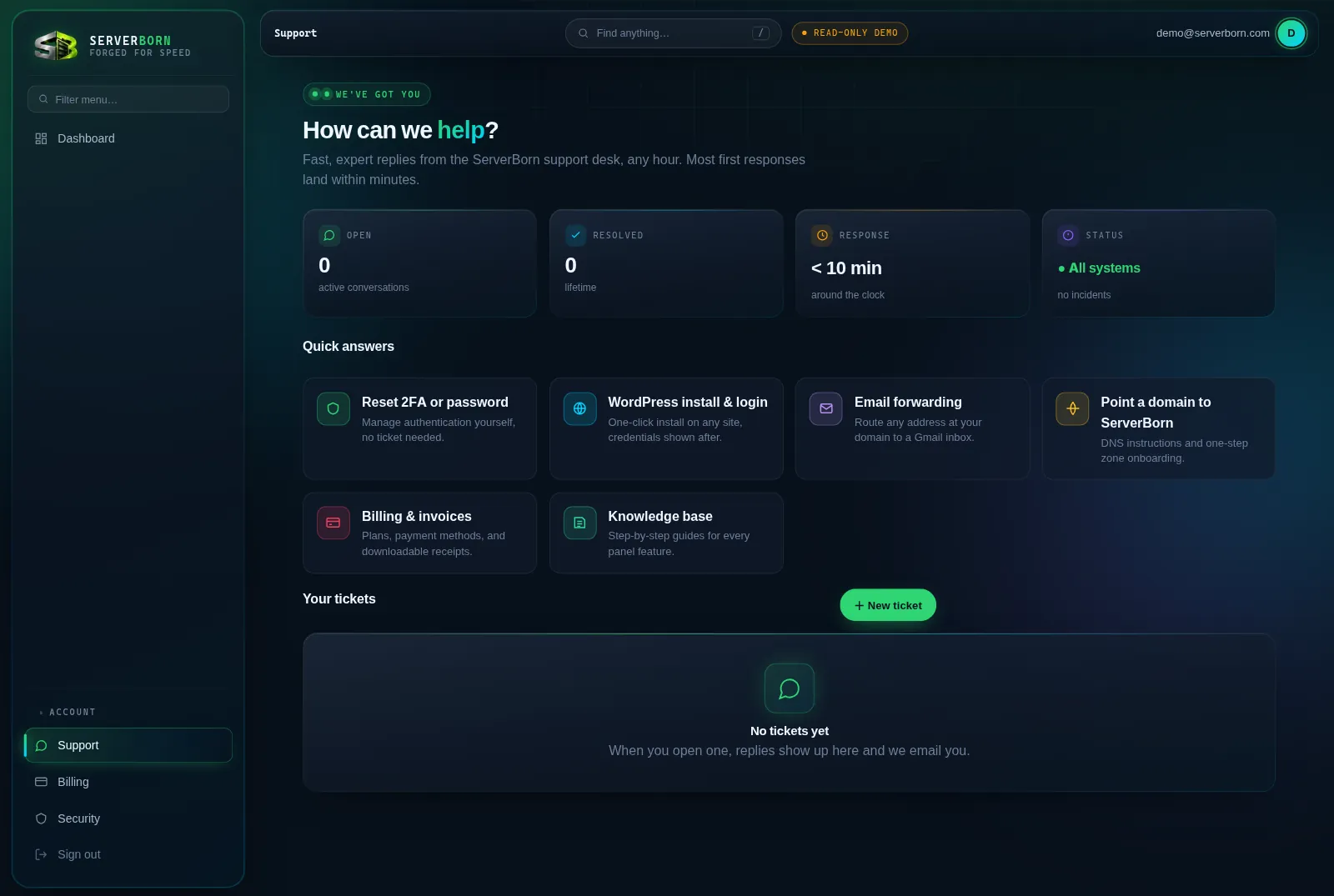
The Support page's Quick answers cards route the most common issues straight to the tool that fixes them: password/2FA resets, WordPress installs, email forwarding, domain pointing and billing are all self-service and faster than any ticket.
Open a ticket
- Click + New ticket
On the Support page (dock → Support on mobile).
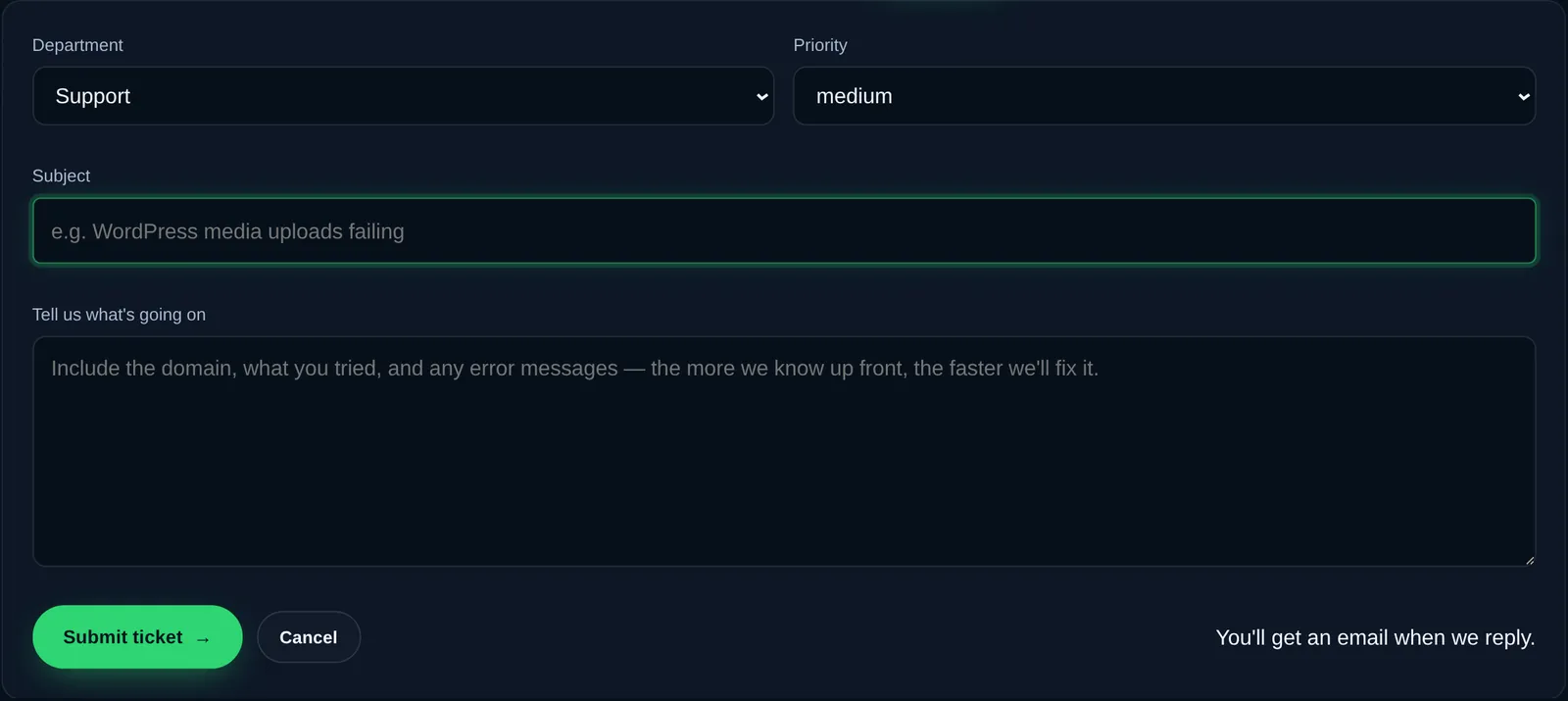
- Pick a department and priority
Technical for anything about your sites; Billing for money. Honest priorities get the fastest routing: “urgent” means down-right-now.
- Write a subject that says the problem
“Media uploads failing on blog.example.com” beats “help!!” because it routes to the right person on the first pass.
- Give us the reproduction
The domain, what you clicked, what you expected, what happened instead, and the exact error text. One good paragraph usually means a one-reply fix.
- Submit
You'll get an email the moment we reply; answer by ticket or just reply from your inbox.
While a ticket is open
- A ● dot on the ticket row means support replied and it's your turn.
- Reply from the ticket page: the thread keeps the whole history in one place.
- Solved it yourself? Click ✓ Close this ticket; replying later re-opens it automatically.
- After closing, a rating form appears: it goes straight to the team member who helped you.
Most first responses land within minutes, any hour. Suspended account? Ticket submission always works, even while everything else is paused.
Is there phone or live-chat support?
Tickets are the supported channel: they keep every detail and credential exchange in one auditable place, and they're genuinely fast.
Can support log into my WordPress?
Only if you ask us to in the ticket. We'll never touch site content without your explicit go-ahead, and every staff action is recorded in an audit log.