

What happens when you connect a domain
ServerBorn hosts your DNS on a global edge network. When you add a domain we create its zone, hand you two nameservers, and the moment your registrar points at them your site goes live, with a free SSL certificate, DDoS protection and edge caching included. Your registrar keeps ownership of the domain; only the DNS moves.
Step by step
- Open Connect a domain
From your plan's All tools page choose Connect a domain under Domains, or press
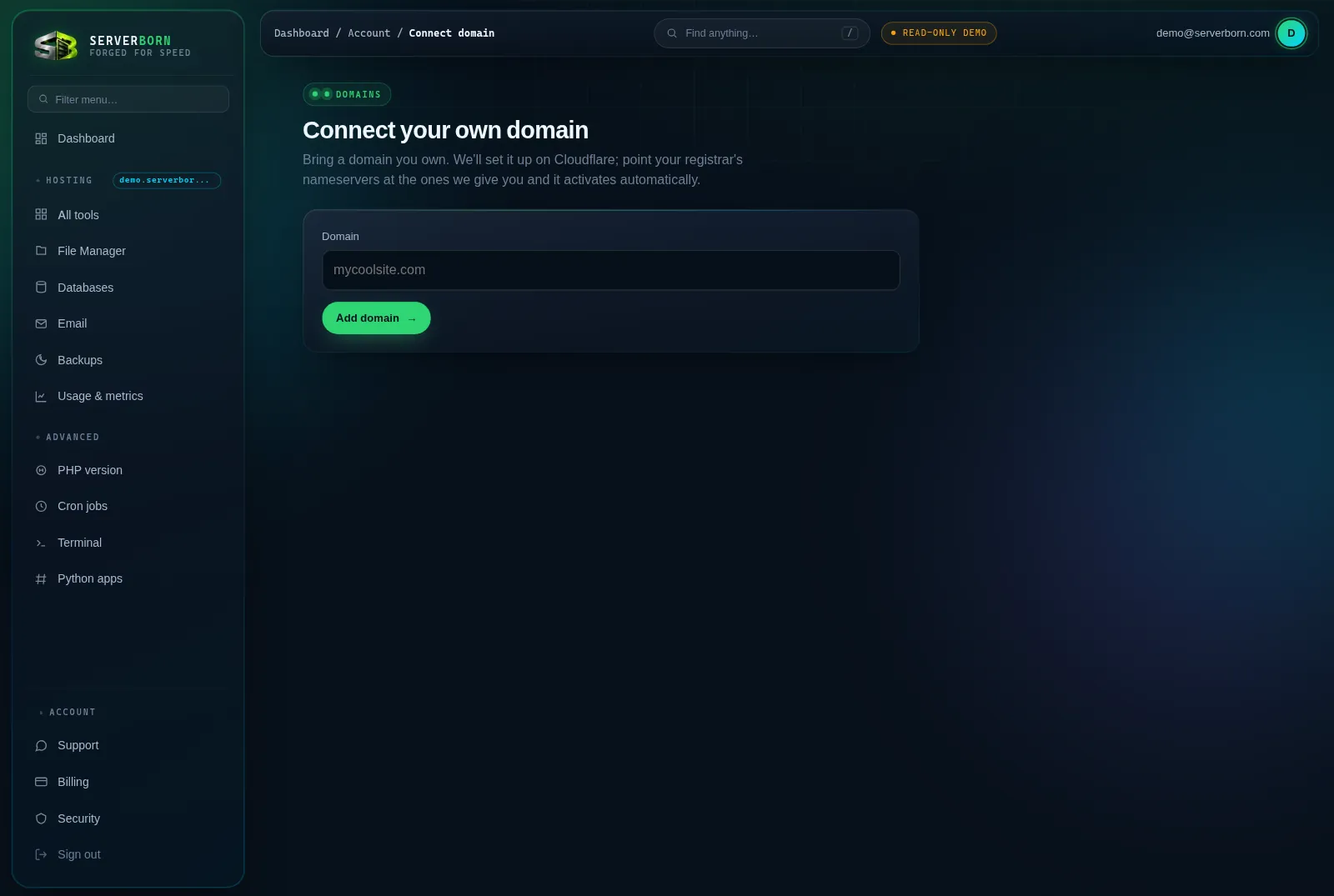
/and type “connect”. - Enter your domain and click Add domain →
Type the bare domain, like
mycoolsite.com: no www, no https. - Copy the two nameservers we show you
They look like
ada.ns.cloudflare.comandbob.ns.cloudflare.com. We also email them to you so you can't lose them. - Log in at your registrar and find nameserver settings
GoDaddy: My Products → DNS → Nameservers → Change. Namecheap: Domain List → Manage → Nameservers → Custom DNS. Google/Squarespace Domains: DNS → Name servers.
- Replace ALL existing nameservers with our two
Delete what's there, paste ours, save. Exactly two entries.
- Wait for activation
Usually 5 to 60 minutes, occasionally a few hours. The status on the Connect-a-domain page flips to active automatically: check back, or just visit your domain.
Adding the domain as a new website instead? The “Domain you own” tab in + Add website does both jobs at once: it creates the site and starts the zone. This page is for parking extra domains onto your existing hosting.
Troubleshooting
- Still “pending” after a few hours? Double-check the registrar saved exactly our two nameservers and nothing else. A leftover old nameserver stalls activation.
- Registrar says “nameserver not registered”? Wait ten minutes and retry: brand-new zones occasionally need a moment before registrars accept them.
- Email on this domain elsewhere? Moving DNS moves your MX records too. Open a ticket before switching and we'll copy your mail records into the new zone so mail never bounces.
Do I transfer my domain to ServerBorn?
No: the domain stays registered exactly where it is. Only the DNS hosting moves.
Can I keep using my registrar's DNS instead?
Nameserver delegation is what activates free SSL and the edge network, so it's the supported path. If you absolutely can't change nameservers, open a ticket and we'll look at CNAME options.