

How website slots work
Your plan includes a number of website slots (the Sites meter on your dashboard card, e.g. 1 / 3). Each slot is a full website: its own folder on disk, its own DNS, its own free SSL certificate, its own one-click WordPress. All sites on a plan share the plan's disk, database and PHP runtime.
Add a site on a subdomain (instant)
- Open the dashboard
Click the ServerBorn logo or Home on the dock.
- Click + Add website on your plan card
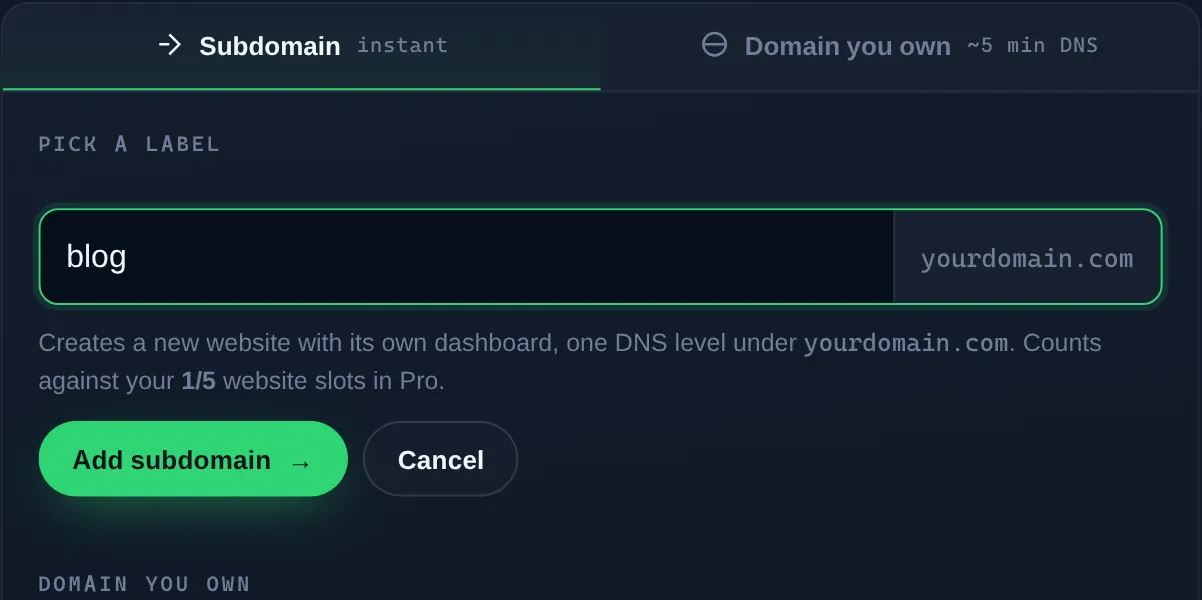
The add-website panel slides open with two tabs.
- Stay on the Subdomain tab and pick a label
Type something like
blogorshop. It becomesblog.yourdomain.com: live DNS, SSL and hosting in one step. - Click Add subdomain →
You land on the new site's own dashboard about fifteen seconds later. It's already serving HTTPS.
Add a site on a domain you own
- Open + Add website and switch to “Domain you own”
Same panel, second tab.
- Type the full domain
For example
example.comorblog.example.com. One level under the apex is the maximum:a.b.example.comwon't get free SSL. - Click Add website →
The site is created immediately and we email you two nameservers.
- Point your domain at those nameservers
At your registrar (GoDaddy, Namecheap, …) replace the existing nameservers with the two we sent. Full walkthrough: Connect a domain you own.
DNS changes at a registrar take anywhere from five minutes to a few hours to propagate. Your site activates automatically the moment they land, nothing to click.
See your site at a glance
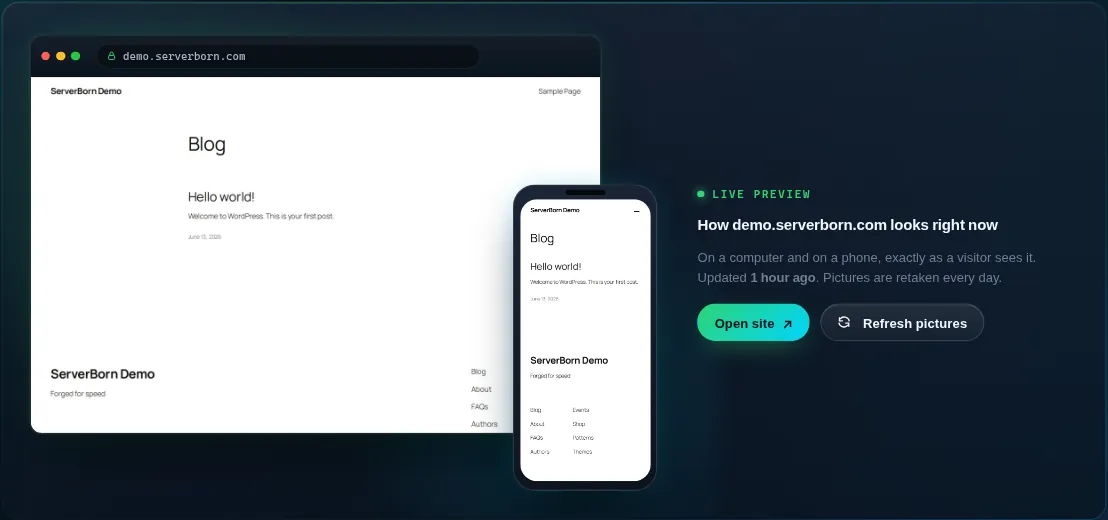
Every website's Manage page opens with a Live preview: a picture of the site on a computer and on a phone, exactly as a visitor sees it. The pictures are retaken once a day, and Refresh pictures takes new ones right away (once every ten minutes). Only the newest pair is kept, so the pictures never fill your disk.
Remove a website
- Find the site tile on your dashboard
Every non-primary site has a Remove button on its tile (also on the site's own page, bottom panel).
- Confirm the deletion
Files in that site's folder are wiped and its DNS is removed. Other sites and your databases are untouched. The slot frees instantly.
Removing a website deletes its files permanently. If there's any chance you'll want them back, take a backup first: Backups → + Backup now.
Why is my subdomain option missing?
The instant-subdomain tab appears when your plan's primary domain is an apex (like example.com). If your primary is itself a subdomain, use the “Domain you own” tab.
Can each website run different PHP?
PHP is set per plan, not per site, so every site on the plan runs the same version. See PHP version.
I'm out of slots: what now?
The dashboard shows “Plan full: upgrade” when every slot is used. Upgrading takes effect in seconds with no downtime, or remove a site you no longer need.