

Open the file manager
From the dashboard, click Files on any site tile: the manager opens scoped to that site's folder, so you can't accidentally edit the wrong site. You can also press / and type “files”. The breadcrumb at the top always shows where you are; click any part of it to jump back up.
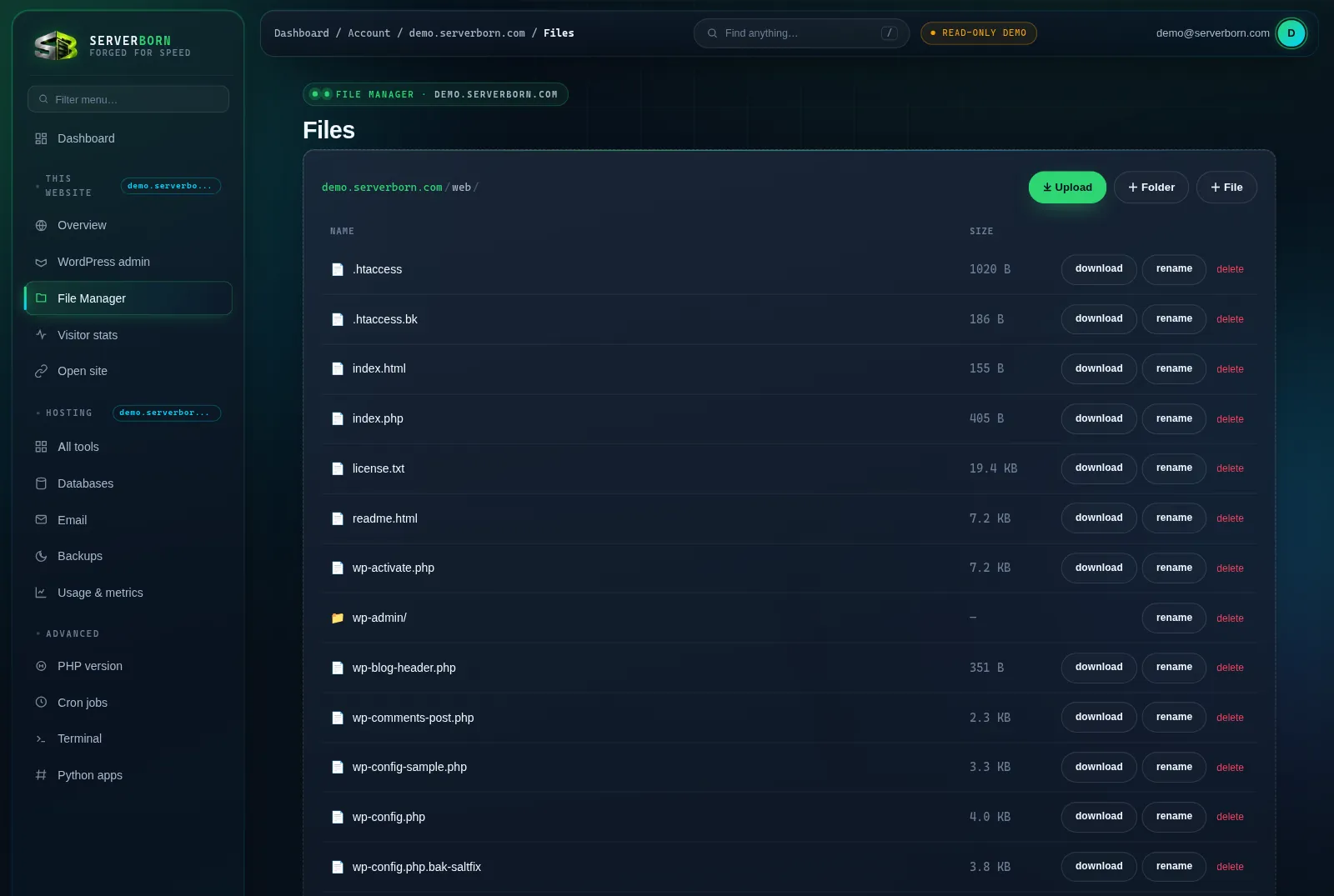
Upload files
- Drag files from your computer anywhere onto the panel
The border glows green while you hover. Drop, and a progress bar tracks each file.
- …or click ⤓ Upload
Pick one or many files from the system dialog. Files up to 100 MB each upload in resilient 8 MB chunks: large files survive flaky connections.
- Wait for “Done: refreshing…”
The listing reloads with your files in place, already live on your site.
Edit a file
- Click any file name
Text files open in the built-in code editor (monospace, no formatting surprises). Binary files offer a download instead.
- Make your changes
The editor is a plain, honest textarea: what you type is exactly what's saved.
- Click Save
Changes are live immediately. Editing a cached page? Hit Purge cache on the site's manage page afterwards.
Everything else
- + Folder / + File: create either in the current directory; you'll be prompted for a name.
- rename: on every row; type the new name in the prompt.
- extract: appears on
.zip/.tar.gzarchives. Choose a destination folder (blank = right here). Perfect for deploying a theme or a whole site in one upload. - download: grabs a single file to your computer.
- delete: removes a file or folder after a confirm. There is no trash: deleted means deleted, so lean on backups.
Files here are your live website. Deleting or editing wp-config.php, .htaccess or theme files takes effect instantly. Take a one-click backup before big surgery.
Where do my website files actually live?
Each site serves from its own web/ docroot; extra sites live in their own isolated folders. The file manager always jails you to the site you opened it from.
Is there FTP/SFTP?
The file manager replaces it for almost everything: chunked uploads, editing, archives. Need bulk transfer measured in gigabytes? Upload one archive and extract it server-side; it's dramatically faster than FTP.
What's the upload limit?
100 MB per file through the panel, unlimited file count. Bigger single files: split or zip them, or open a ticket.