

How it works
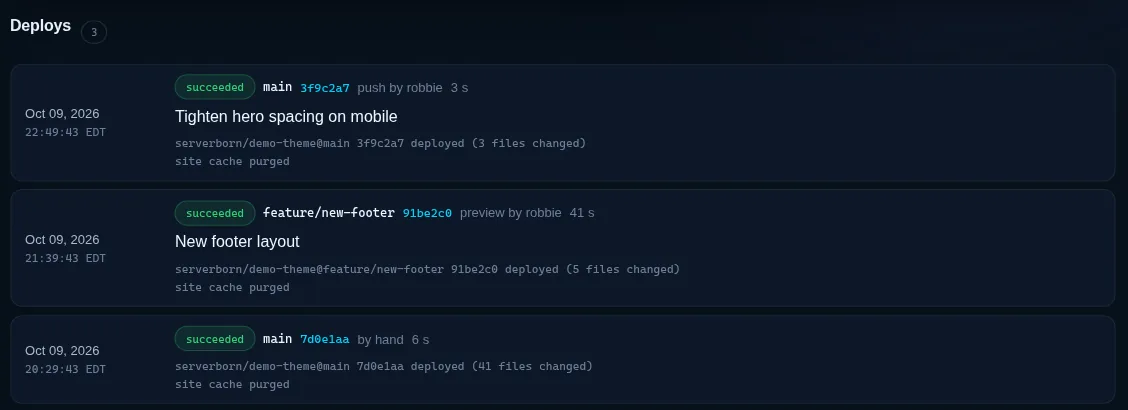
You connect one GitHub repository and branch to a website, or to a Python app. When you push, GitHub calls a signed webhook, your server pulls that commit and copies it into place, and the site cache is purged (or the Python app restarts). A typical deploy takes a few seconds and is logged with its commit, who pushed it and how long it took.
- Included on every plan. Preview sites at once: 1 on Launch, 3 on Pro, 10 on Studio.
- Public repositories need nothing else. Private ones need a read-only GitHub token.
- Links, the
.gitfolder and.githubworkflows are never copied. Repositories up to 1 GB.
Connect a repository
- Open Git deploy
Dashboard → Manage on the site → the Git deploy tile. For a Python app: Python apps → Git deploy next to the app.
- Enter the repository
Paste the GitHub address (
https://github.com/you/your-site) or justyou/your-site, and the branch that should go live, usuallymain. - Choose where it goes
Deploy into a folder such as
wp-content/themes/my-theme, or leave it blank for the whole site. - Private repository?
On GitHub open Settings → Developer settings → Fine-grained tokens, give the token this one repository with Contents: Read-only, and paste it. It is stored encrypted and only handed to your server while a deploy runs.
- Connect
Keep Deploy right away ticked to pull the branch once immediately.
Add the webhook on GitHub
- Copy the details
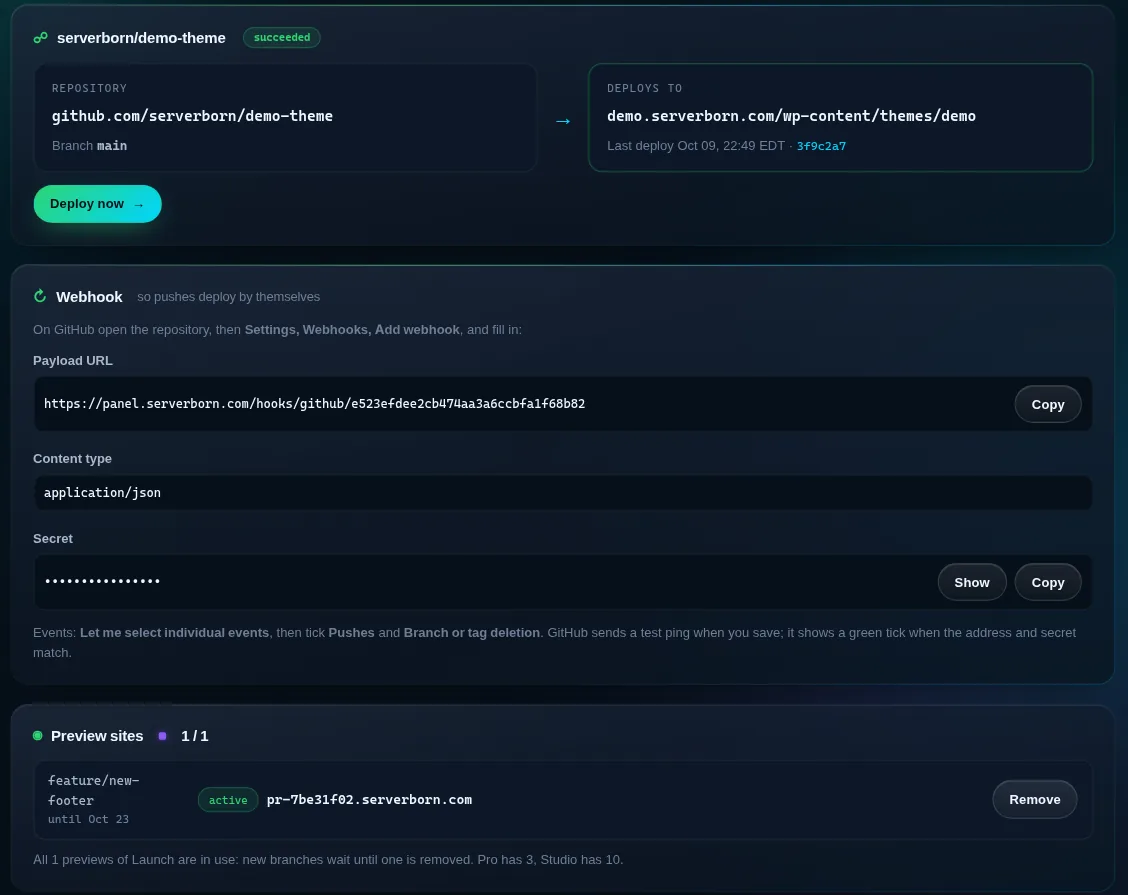
The Git deploy page shows a Payload URL and a Secret (use Copy).
- Add the webhook
On GitHub: the repository → Settings → Webhooks → Add webhook. Paste the Payload URL, set Content type to application/json, paste the Secret.
- Pick the events
Choose Let me select individual events and tick Pushes and Branch or tag deletion. Save. GitHub sends a test ping and shows a green tick when the address and secret match.
What a deploy changes
- Into a folder: the folder becomes an exact copy of the repository, so files you delete from the repository are removed there too. Server-managed files inside it (uploads, caches, the ServerBorn must-use plugins) are kept.
- Whole site: files from the repository are added and updated, nothing else is deleted, and the site's own
wp-config.php,.htaccessand uploads are never replaced. - Python app: the app folder becomes a copy of the repository. It needs a
main.pywith an ASGIapp(FastAPI, Starlette). Arequirements.txtis installed, then the app restarts.
Deploying a WordPress theme or plugin? Point Deploy into at its folder, for example wp-content/themes/my-theme. WordPress itself, the database and the uploads stay managed by the panel.
Preview sites for branches
With previews on, pushing any branch other than your live branch builds a preview: a copy of the live site at its own address, like pr-7be31f02.serverborn.com, with that branch deployed on top. Later pushes to the branch update the same preview.
- Previews have their own database tables, are hidden from search engines and are never edge cached.
- A preview is removed when you delete the branch on GitHub, after 14 days without a push, or with Remove on the Git deploy page.
- When all previews of your plan are in use, new branches wait until one is removed.
If something is off
- The GitHub webhook shows a red cross: the Secret does not match. Copy it again, or press New webhook secret and paste the new one on GitHub.
- "could not fetch the repository": the repository is private and no token is saved, the token expired, or it lacks Contents: Read-only for this repository.
- "that folder holds files the server manages": deploy into a theme or plugin folder rather than
wp-content/uploadsor a cache folder. - Changes do not show: press Deploy now and check the log; for CSS and JS, a hard refresh in the browser clears its cache.
Does Git deploy cost extra?
No. It is on every plan, including previews: 1 at a time on Launch, 3 on Pro, 10 on Studio.
Is GitLab or Bitbucket supported?
GitHub for now. You can mirror a GitLab or Bitbucket repository to GitHub in the meantime.
Can someone else trigger my deploys?
Only requests signed with your webhook secret are accepted, and only for the repository you connected. The secret can be replaced any time.
Does it run my build step?
Not yet: commit the built files (or deploy a branch that contains them). Python apps get their requirements installed.
What happens to my files if I disconnect?
Nothing. The deployed files stay where they are; only the link and any preview sites are removed.