

Before you switch
One PHP runtime serves every website on your plan: sites and their subdomains all move together. The safe dance for a version bump: take a backup, switch, click around your site; if a legacy plugin complains, switch straight back the same way.
- PHP 8.1: for older apps and plugins that aren't 8.2-ready yet.
- PHP 8.2: the recommended default for new accounts.
- PHP 8.3: the latest release, fastest, newest language features.
Switch versions
- Open PHP version
Sidebar → Advanced → PHP version, or
/then “php”. Your current version is also shown as a chip right on the dashboard card. Clicking it lands here too. - Pick a version card
The active one is tagged. Select another.
- Click Apply PHP version
The runtime handler swaps and the web server reloads: live on the next request, no downtime, nothing else to restart.
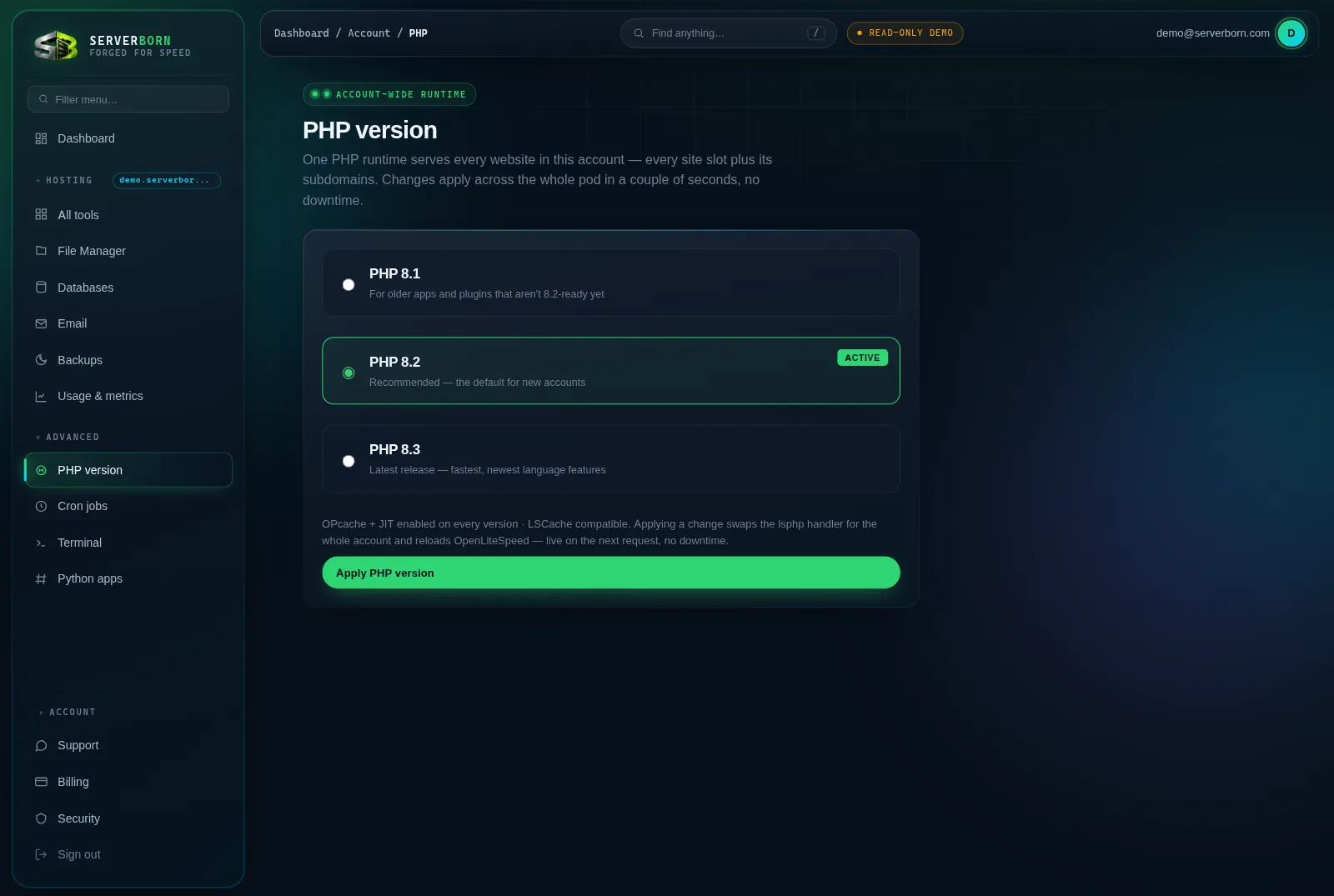
OPcache and JIT are enabled on every version, and everything stays LiteSpeed-cache compatible. There's nothing extra to tune.
Will switching break my WordPress?
Modern WordPress runs great on all three. Very old plugins occasionally aren't 8.2+-ready: if the site errors after a bump, switch back and update the plugin first.
Can two sites on one plan run different versions?
No: the runtime is per-plan by design (it's what keeps switching instant). If one project truly needs a different version, host it on a second plan.